For 35mm and medium format
See the frame. Compare the filters. Keep the notes.
A field companion for the film camera you already shoot.
Framelatch sits on your film camera and helps you preview the shot, stack contrast and ND filters, meter the cropped scene, and log each frame. The phone works without an account. A browser archive is optional when you get home.
Local on the phone. Sign in only if you want the web archive.
How it works
From loaded film to a frame you can find later
- 01
Set the format and the taking lens
The live phone preview crops to that field of view. Formats at launch: 35mm (36 × 24 mm) and 645 (about 56 × 41.5 mm), with room for 6×6, 6×7 and custom gates.
- 02
Stack filters if you are using them
Yellow, orange, red, green and blue contrast filters, plus ND. The preview updates and the combined compensation feeds the suggested exposure.
- 03
Meter the cropped preview
Read the light inside the frame, not the unused edges of the phone sensor. Choose a shutter and aperture pair for the ISO of the loaded stock.
- 04
Snap a framed, filtered reference still
The log stores the frame, settings, filters, optional GPS, and metadata you can export.
Start the roll when you load the film, before the first shot. Or capture a standalone frame and attach it to a roll later.
Framing
The crop follows the camera you are holding
Field of view is calculated from the film gate and the focal length: angle of view = 2 · atan(dimension ÷ (2 · f)), worked out for the gate's width and height. The phone's own field of view comes from the system or from a one-time calibration, and the preview is cropped to match.
A hot-shoe mount looks from beside the taking lens, not through it, so parallax remains, and it grows as subjects get closer. Distance-based correction can help; it does not make the two views identical.
- EOS-3 • 35mm • 50mm
- Mamiya 645 • 80mm
Examples only. Any body works if you know its format and focal length.
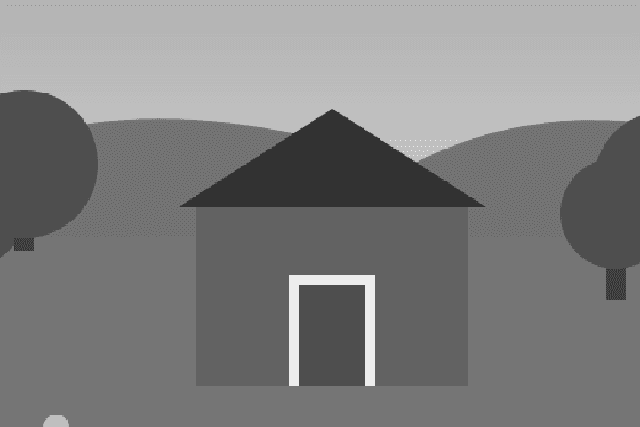
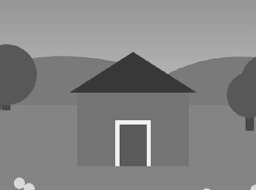
Same scene, two cameras: 50mm on 35mm (3:2) and 80mm on 645 (about 4:3). Rendered by the app's framing code on a synthetic test scene.
Filters
Compare the filter before you screw it on
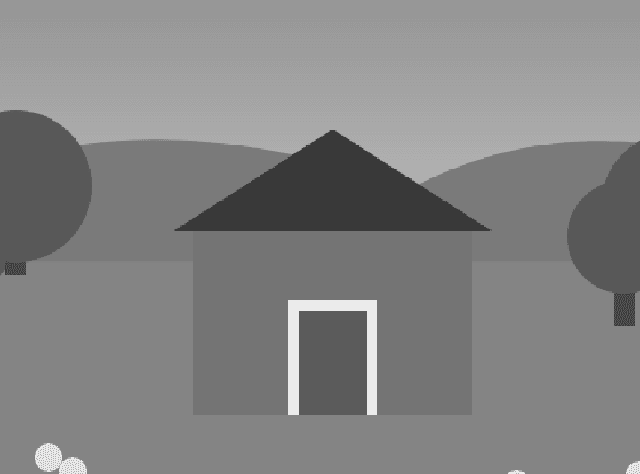
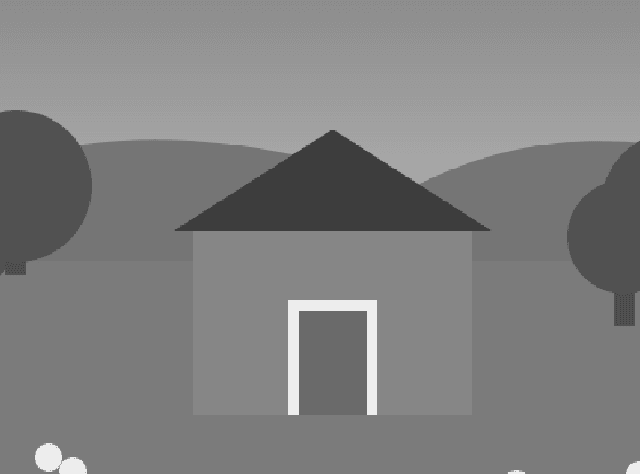
Preview stacked contrast filters and ND live. The combined stops are shown as a visible total and applied to the suggested exposure. Factors are starting points you can inspect and adjust. This is about physical filters on a taking lens, not a film-stock “look” preset.

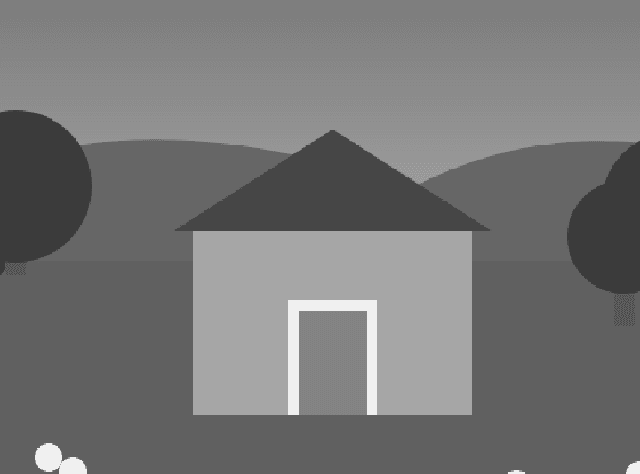
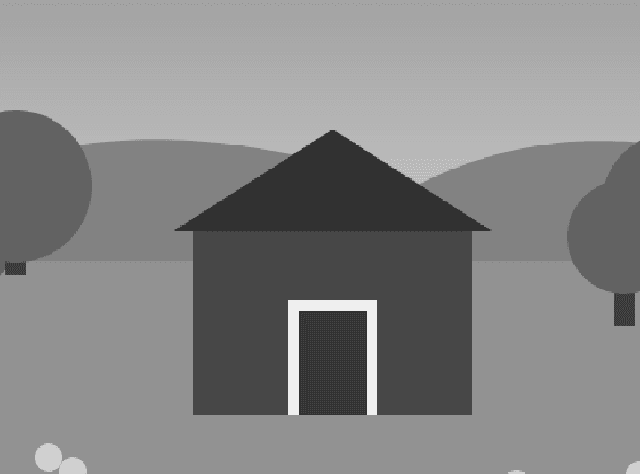
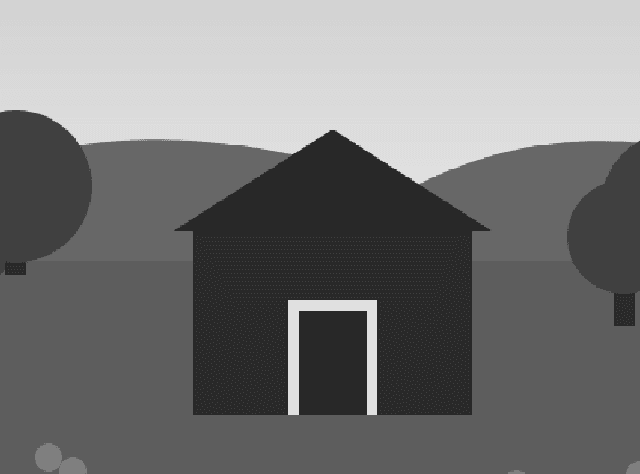
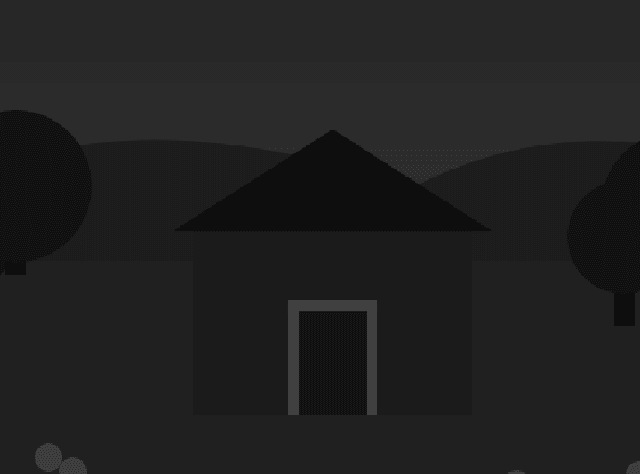
Combined compensation (example)
Yellow ~2× · +1 stop
ND8 · +3 stops
Total ×16 · +4 stops → 1/250 f/8 becomes 1/15 f/8
Tonal contrast is simulated. Manufacturer filter factors still matter.
Renders of a synthetic colour test scene through the app's channel-mix shader, not photographs.
Metering and logging
The reading and the record belong to the same frame
- Meter the cropped preview.
- ISO comes from the stock on the loaded roll, or from the standalone frame you create.
- Optional GPS, only after you allow location.
- Reference stills keep format, focal length, exposure, filter stack, compensation and notes.
- Export EXIF and XMP sidecars, plus CSV and JSON, for Lightroom and spreadsheets.
- Roll
- Tri-X 400 • 120
- Frame
- 4
- Lens
- 80mm
- Filters
- Y2 + ND8
- Exposure
- 1/125 at f/8
Rolls
A roll can start empty. A frame can stand alone.
Rolls
Create the roll when the film is loaded, before any exposure. The stock sets the ISO, and the frame counter advances as you shoot.
Standalone frames
Capture a frame without a roll, then attach it later if you want it in that roll's story.
On the computer
The phone does not need an account. The archive can live in a browser.
Field use is local-first. When you want a larger table of rolls, frames, photos and exports, sign in to the browser archive and sync from the phone. It is a quiet table for your own film, nothing more.
| Roll | Stock | ISO | Format | Frames | Loaded |
|---|---|---|---|---|---|
| Roll 3 | Tri-X 400 | 400 | 645 | 4 / 15 | Nov 6 |
| Roll 4 | Gold 200 | 200 | 35mm | 0 / 36 | Nov 6 |
| Standalone | — | 400 | 35mm | 2 | — |
What it is not
- Not a camera replacement. You still expose the film in the film camera.
- Not a claim of identical perspective to the taking lens.
- Not a calibrated handheld meter.
- Not a cinema director's viewfinder suite.
Waitlist
Want it when the first build is ready?
One email when there is something to install. Nothing else.
FAQ